














VipeOS connects Reach and Close into one sales path: publish listings, collect inquiries, coordinate project partners and carry each case through identification, signature and handover.
4 apps · Edition Agency
Today
The work is familiar. The handoffs between portal, CRM, partner project and contract desk are not.
Inquiries arrive without a shared path
Portal leads, campaign responses and direct contacts enter through different doors. Source and history fragment across inboxes and tools, so the next action depends on who notices first rather than on a visible sales process.
The current CRM makes switching hard
Years of objects, contacts, activities and documents sit in onOffice, FlowFact or Propstack. A new sales platform only helps if that history moves cleanly and the team can keep working during the transition.
Closing breaks into manual steps
Viewing, reservation, identity check, contract and signature often live in separate tools. Staff chase statuses and PDFs, while buyers and tenants repeat information that should already belong to the same case.
With VipeOS
Listings create demand, every inquiry enters the same pipeline and the closing record stays complete.

Reach and Close share one pipeline
Listings, portal inquiries, campaigns and direct leads connect to the same units and contacts. The source stays visible while the team moves each case through a defined next step.
Developer projects include your team
Partner Portal seats let brokers work inside a developer's project with the view and leads assigned to them. Project data stays controlled without pushing collaboration back into email.
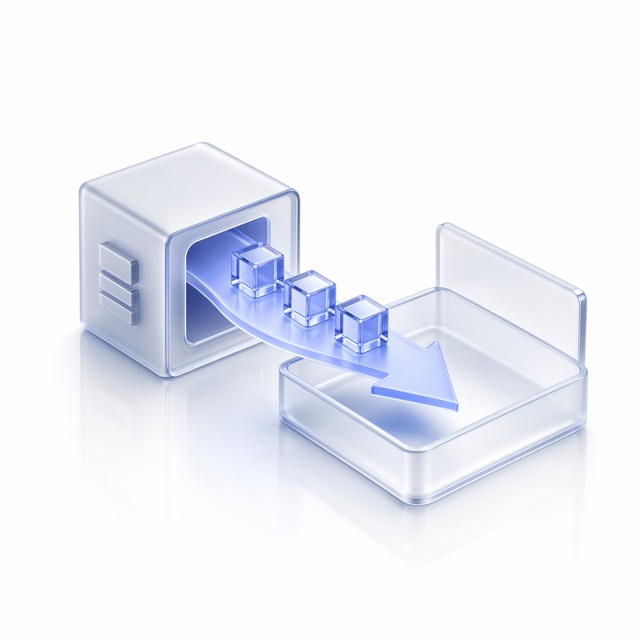
Migration becomes a practical start
onOffice, FlowFact and Propstack data can move into Core as a one-time migration or stay in sync during transition. Contacts, activities and documents do not need to be retyped.

The closing path reaches signature
Close connects screening, identity checks, contract status and e-signature to the case. Signed documents file themselves before Move-in carries the handover forward.
The path
Start with the data you have, then connect demand, sales and handover.
Migration
Bring the sales history across
Move objects, contacts, activities and documents from the current CRM into Core, with a transition path.
Reach
Publish where demand begins
Create listings from the unit record and distribute them to portals through direct connections or EstateSync.
Pipeline
Give every lead a next action
Qualify inquiries, plan viewings and manage reservations in one sales cockpit with source and history attached.
Contract
Carry the case to signature
Run identification and contract steps from the case, then track the e-signature without chasing a separate inbox.
Handover
Keep the buyer or tenant moving
Turn the signed case into a guided handover and welcome journey without rebuilding the record.
The apps
Four apps carry existing data through demand, closing and handover.
- Vipe CoreCRM, Property Graph, partner permissions and migration target for existing sales data.7 of 10 modules liveOpen the app →
- Vipe ReachListings, portal sync, campaigns and inquiries linked to each unit.8 of 9 modules liveOpen the app →
- Vipe CloseSales cockpit, Partner Portal, screening, contracts and signatures in one case.8 of 11 modules liveOpen the app →
- Vipe Move-inA clean handover and welcome path after the agreement is signed.3 of 5 modules liveOpen the app →




The edition
Edition Agency.
Agency is the edition for sales teams working across mandates: separate workspaces, reusable sales flows and lead protection, with the option to carry each client under its own appearance.
Integrations
VipeOS connects to the systems this work already runs on — each connector has its own page.






Common questions
Can we migrate from onOffice, FlowFact or Propstack?
Yes. Core supports a clean one-time migration of objects, contacts, activities and documents, or a running sync while both systems remain in use. The right path depends on data quality and how quickly your team wants to change its daily workflow.
Do listings still go to the major portals?
Yes. Reach connects listings with ImmoScout24 and immowelt, and EstateSync can provide the syndication layer for further portals. Prices, availability and media come from the unit record, while inquiries return with their source attached.
How do Partner Portal seats work in developer projects?
The developer assigns your team a controlled view of the project, units and leads relevant to the mandate. You work in the same sales record without seeing unrelated data, and lead source and handling history remain visible to both sides.
Can the closing path include identification and signature?
Yes. IDnow starts identity checks from the Close case, and Docusign sends reservations or agreements for e-signature. Status and signed documents return to the record, so the team does not have to reconcile separate inboxes manually.
Is this only for brokers with project business?
No. This page is for brokers and sales companies without their own development projects. Reach and Close also support individual sales and leasing mandates; Partner Portal seats matter when you join a developer's project as the sales partner.
How is the broker setup priced?
It follows the public model: Core at a fixed monthly price plus the selected apps per unit with volume tiers. Start with Reach and Close, add Move-in when your mandate includes handover, and keep only the apps your process needs.
Next step
Map your sales path from CRM to signature.
Bring your current tools and one live mandate. We will show the migration path and the smallest app setup that carries it.